
Lanes
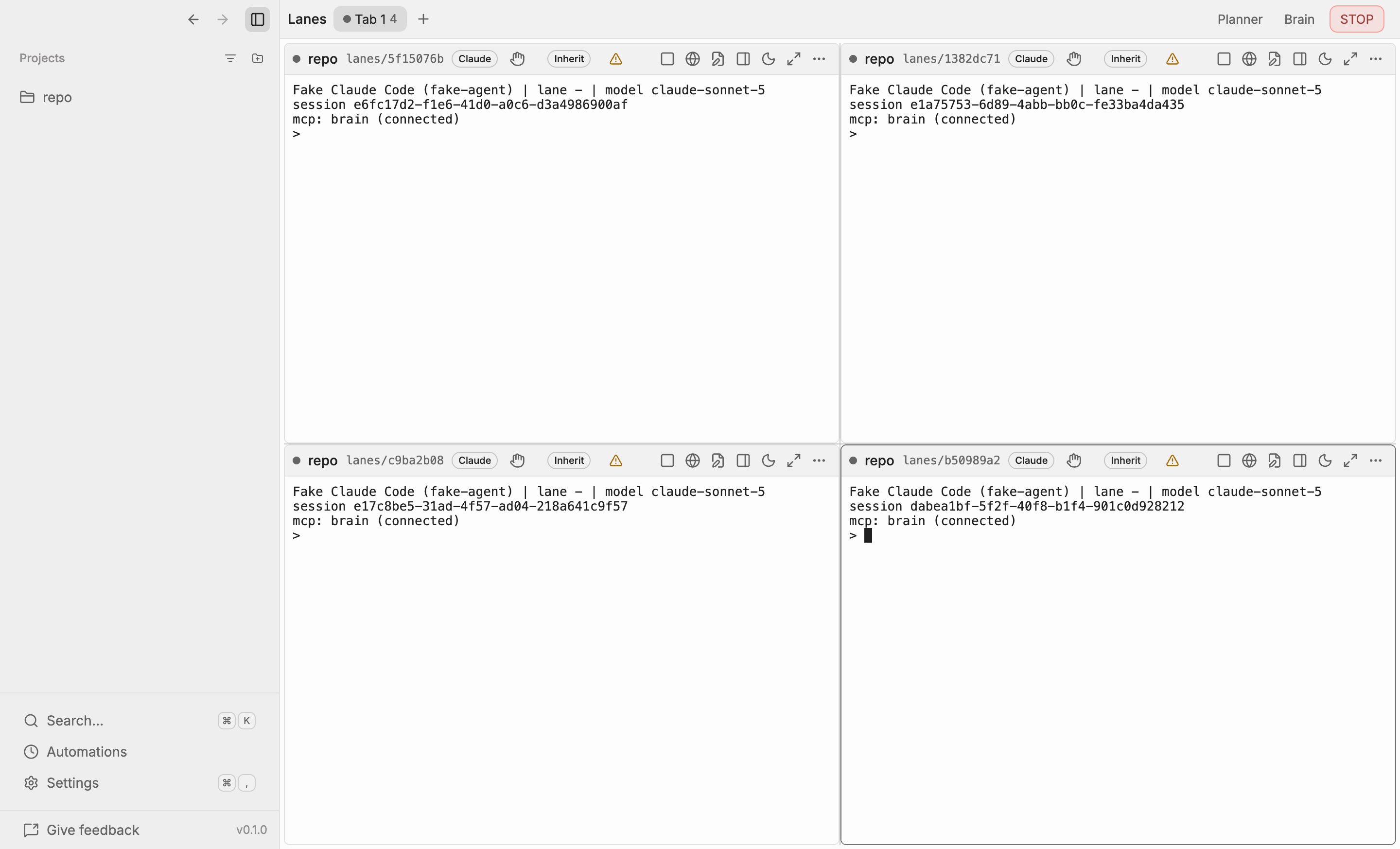
A lane is one agent working in one git worktree. Under the hood it is one Emdash task (the
worktree and its branch) plus one terminal session running claude or codex in it. Each tab of
the Lanes view holds a 2×2 grid, so four agents work side by side, and you can open as many tabs as
you like.
Adding a lane
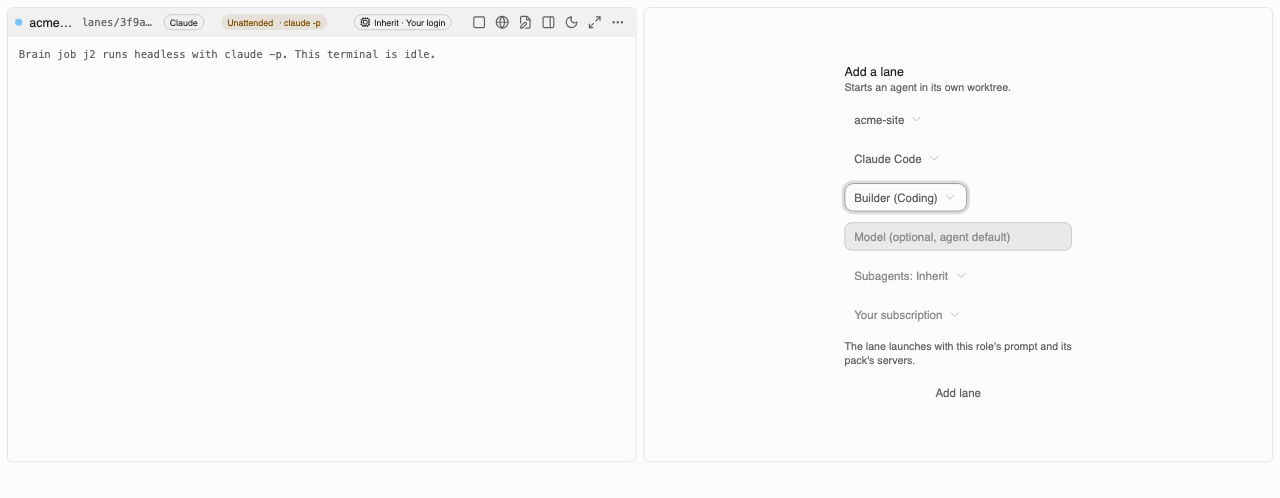
Click an empty slot and choose:
- Project: one of the projects you have added.
- Agent: Claude Code or Codex. Only agents installed on your machine are listed.
- Role (optional): a role from one of the packs this project has enabled, such as the coding pack’s builder. The picker only appears once the project has a pack enabled. Picking a role fills in its preferred agent and model when it has them.
- Model (optional): the model the agent starts with. Leave it empty for the agent’s default.
Ninebrains creates a worktree for the lane on its own branch (lanes/<id>) and starts the agent
there. Lanes run on this machine only; SSH projects cannot host lanes in v0.1.
A lane started with a role launches with that role’s prompt appended to the agent’s system prompt, and with the MCP servers of the project’s enabled packs. The role stays with the lane across restarts.
Status lights
Every lane has a light in its header:
| Light | Meaning |
|---|---|
| idle | The agent is waiting for a prompt |
| running | The agent is working |
| waiting | The agent needs you, usually to approve a permission prompt |
| verifying | The lane’s job is being checked by a gate |
| blocked | Something failed; the lane needs attention |
| asleep | The lane is hidden (its terminal keeps running) |
The lights come only from the agent’s own hooks, never from reading terminal output. If the hooks
are not installed yet, the header shows a warning triangle and the light cannot update. The
verifying and blocked states come from the Brain’s job state and override the hook value.
Lane controls
The buttons in each lane’s header, from left to right:
- Run mode, next to the agent’s name: a hand icon while the lane is attended, or an Unattended badge. It decides how the Brain hands the lane its jobs. See Unattended runs.
- Editor opens the lane’s task in the task view, where Emdash’s editor, diff and source control live.
- Browser toggles the lane’s browser, which previews the lane’s dev server. Each lane owns a stable browser, so the preview survives the cell being hidden and shown again.
- Side panel shows the lane’s Jobs, Done and Notes from the Brain.
- Sleep hides the lane. The agent keeps running: sleep never stops its terminal.
- Maximize gives the lane the whole tab. Maximize again to return to the grid.
- More holds the rest, including deleting the lane’s worktree.
Keyboard shortcuts work even while a terminal has focus:
| Action | macOS | Windows and Linux |
|---|---|---|
| Focus lane 1–4 | ⌘1 – ⌘4 | Ctrl+1 – Ctrl+4 |
| Maximize the focused lane | ⌘⇧Enter | Ctrl+Shift+Enter |
The side panel reads the lane’s jobs, finished work and notes from the Brain as they change. Each finished job shows a verified or unverified badge.
What persists
The tabs, which lane sits in which slot, sleep state, each lane’s run mode and role, and the grid’s split sizes survive a restart. Which lane was maximized does not.
Dev server ports
Each lane’s terminal gets an EMDASH_PORT variable. Start your dev server on it
(PORT=$EMDASH_PORT pnpm dev) so the lane browser can find it. The port is derived from a hash, so
two lanes can occasionally collide. Per-lane port leases that avoid collisions are planned.
Known limits in v0.1
- The lane browser needs the lane’s task to have been opened once in this window. Until then the cell shows “Browser not ready” with an Open task button.
- If the agent’s background worker restarts, lights can go stale until you reload the window.
- There is no per-lane account picker yet. See Accounts.